> ## Documentation Index
> Fetch the complete documentation index at: https://docs.cf0.ai/llms.txt
> Use this file to discover all available pages before exploring further.
# Reports
> Turn any Lab thread into a publication-ready PDF with numbered footnotes, a Sources Table, and a Key Assumptions table. Ready for IC.
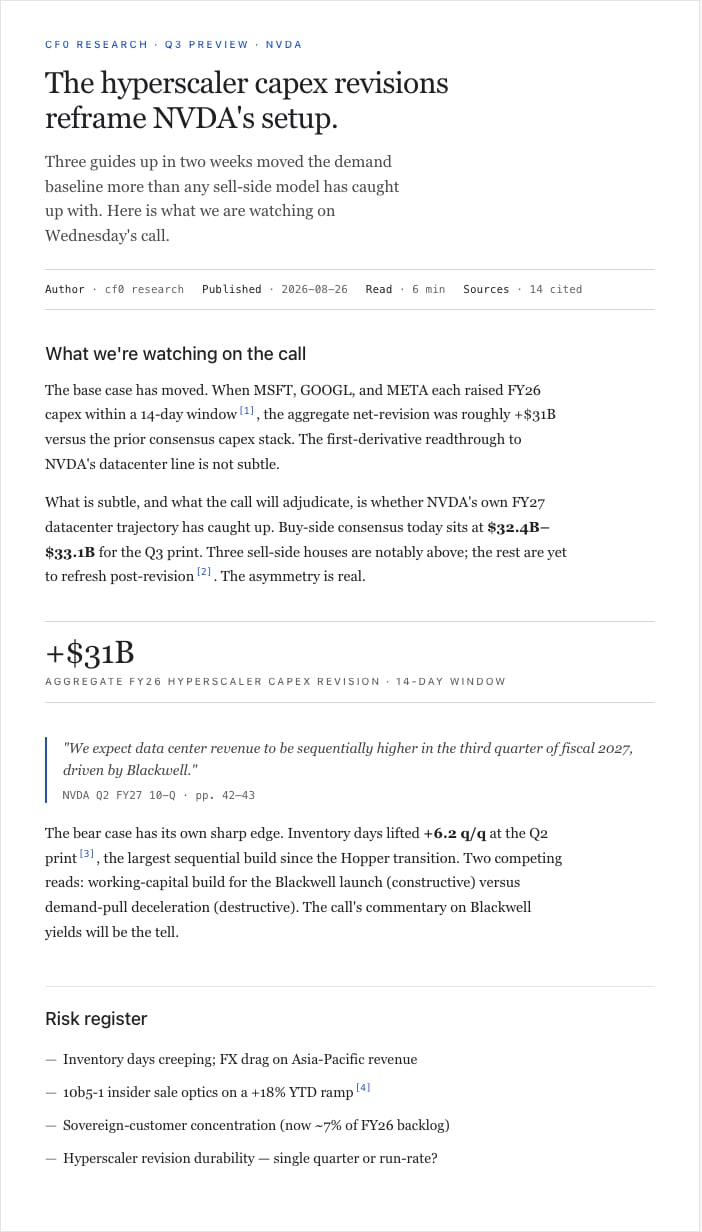
Reports turns a Lab research thread into a publication-ready PDF. The chart, table, and citation work you did in the thread becomes the body of the report; cf0 assembles the cover, sections, footnotes, and Sources Table.
```mermaid theme={null}
%%{init: {"theme": "base", "themeVariables": {"primaryColor": "#1d4ed8", "primaryTextColor": "#ffffff", "primaryBorderColor": "#172554", "secondaryColor": "#ffffff", "tertiaryColor": "#fafafa", "lineColor": "#52525b", "textColor": "#18181b", "mainBkg": "#1d4ed8", "secondBkg": "#ffffff", "clusterBkg": "transparent", "clusterBorder": "#e4e4e7", "edgeLabelBackground": "#ffffff", "labelTextColor": "#18181b", "actorBkg": "#1d4ed8", "actorBorder": "#172554", "actorTextColor": "#ffffff", "actorLineColor": "#52525b", "signalColor": "#52525b", "signalTextColor": "#18181b", "labelBoxBkgColor": "#1d4ed8", "labelBoxBorderColor": "#172554", "noteBkgColor": "#fafafa", "noteTextColor": "#18181b", "noteBorderColor": "#e4e4e7", "messageTextColor": "#18181b", "sequenceNumberColor": "#ffffff", "fontFamily": "Inter Tight, -apple-system, sans-serif", "fontSize": "13px"}}}%%
graph LR
T["Lab thread
charts + cites"] --> G["Generate report"]
G --> S["Section draft
cover · thesis · risks"]
S --> E["Edit inline
or @-mention"]
E --> X{"Export"}
X --> P["PDF
(branded)"]
X --> XL["Excel"]
X --> PP["PowerPoint"]
classDef io fill:#ffffff,stroke:#d4d4d8,color:#18181b
classDef step fill:#1d4ed8,stroke:#172554,color:#ffffff
classDef out fill:#fafafa,stroke:#d4d4d8,color:#18181b
class T,E io
class G,S,X step
class P,XL,PP out
```
 ## What's in a report
* **Branded cover** — your firm's logo, colours, and typeface
* **Investment summary** and key metrics
* **Charts and tables** drawn from the Lab thread (live data, not screenshots)
* **Numbered footnotes** anchored to a Sources Table — see [Citations and audit trail](/security/citations-and-audit#report-grade-citations)
* **Key Assumptions table** before any valuation, so reviewers can swap inputs and see what drives the model
* **Standard sections** — thesis, financials, risks, disclosure
## Generate from a Lab thread
Complete a research conversation. The more targeted the thread, the tighter the report.
cf0 reads the conversation and drafts the structure automatically.
Click any section to edit text directly. Charts and tables pull from the Lab thread and aren't editable — change them by extending the thread.
Click **Export PDF**. The report renders in your firm's brand template and downloads.
## Export to Excel and PowerPoint
Beyond PDF, cf0 generates native `.xlsx` and `.pptx` from any analysis or uploaded document. Formulas and source links carry through to the spreadsheet; chart objects and section headings carry through to the deck.
## Branding
Reports inherit your organisation's branding automatically. Org admins configure logo, colours, and typeface under [Settings → Brand](/workspace/settings#brand-org-admin-only). Every exported PDF reflects those settings — no manual formatting work.
## The Reports dashboard
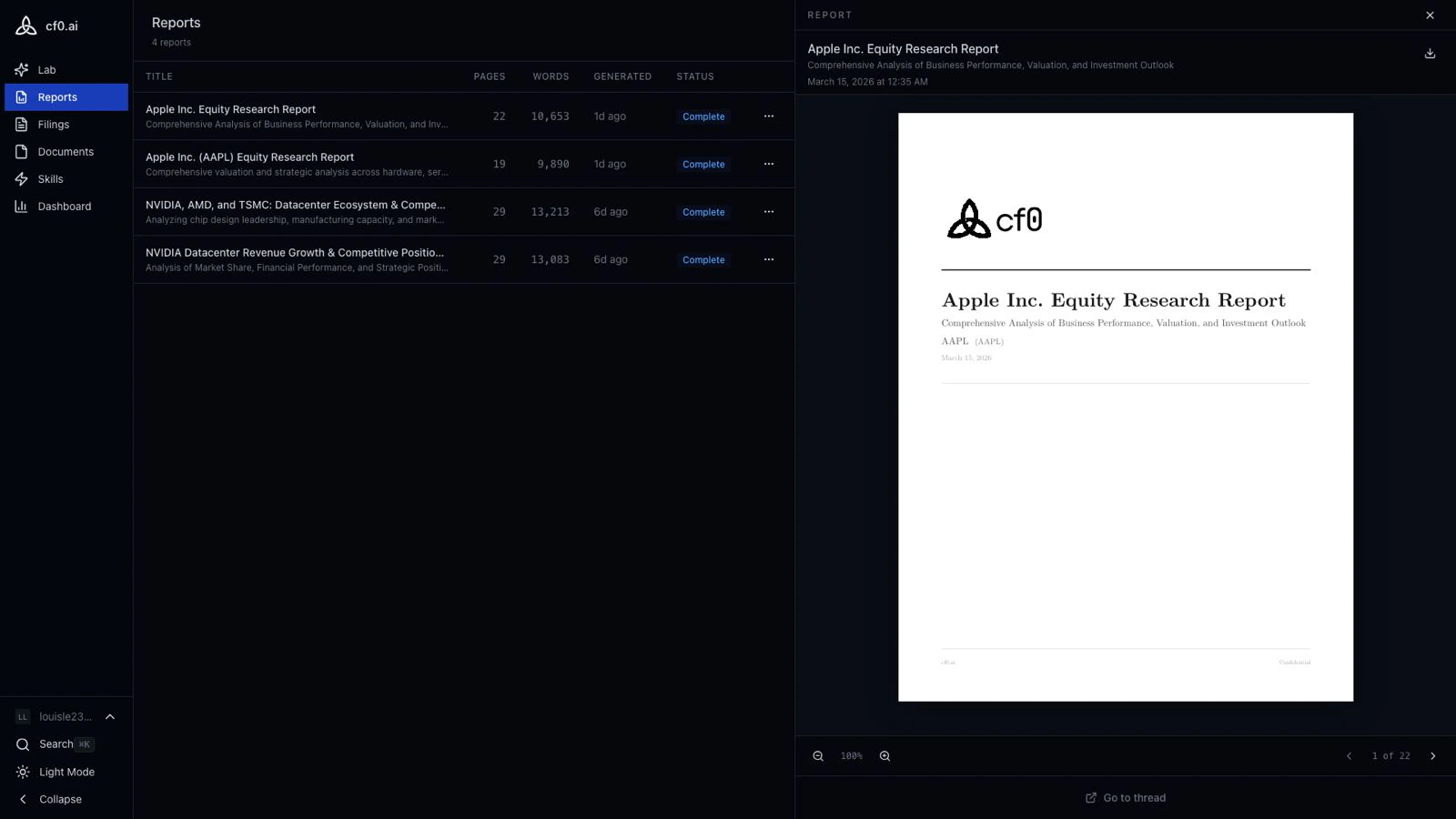
The **Reports** page (left sidebar) lists every report you've generated. From the dashboard you can view a report, jump back to the Lab thread that produced it, or delete it. Deleting a report does not delete the underlying Lab thread.
## What's in a report
* **Branded cover** — your firm's logo, colours, and typeface
* **Investment summary** and key metrics
* **Charts and tables** drawn from the Lab thread (live data, not screenshots)
* **Numbered footnotes** anchored to a Sources Table — see [Citations and audit trail](/security/citations-and-audit#report-grade-citations)
* **Key Assumptions table** before any valuation, so reviewers can swap inputs and see what drives the model
* **Standard sections** — thesis, financials, risks, disclosure
## Generate from a Lab thread
Complete a research conversation. The more targeted the thread, the tighter the report.
cf0 reads the conversation and drafts the structure automatically.
Click any section to edit text directly. Charts and tables pull from the Lab thread and aren't editable — change them by extending the thread.
Click **Export PDF**. The report renders in your firm's brand template and downloads.
## Export to Excel and PowerPoint
Beyond PDF, cf0 generates native `.xlsx` and `.pptx` from any analysis or uploaded document. Formulas and source links carry through to the spreadsheet; chart objects and section headings carry through to the deck.
## Branding
Reports inherit your organisation's branding automatically. Org admins configure logo, colours, and typeface under [Settings → Brand](/workspace/settings#brand-org-admin-only). Every exported PDF reflects those settings — no manual formatting work.
## The Reports dashboard
The **Reports** page (left sidebar) lists every report you've generated. From the dashboard you can view a report, jump back to the Lab thread that produced it, or delete it. Deleting a report does not delete the underlying Lab thread.